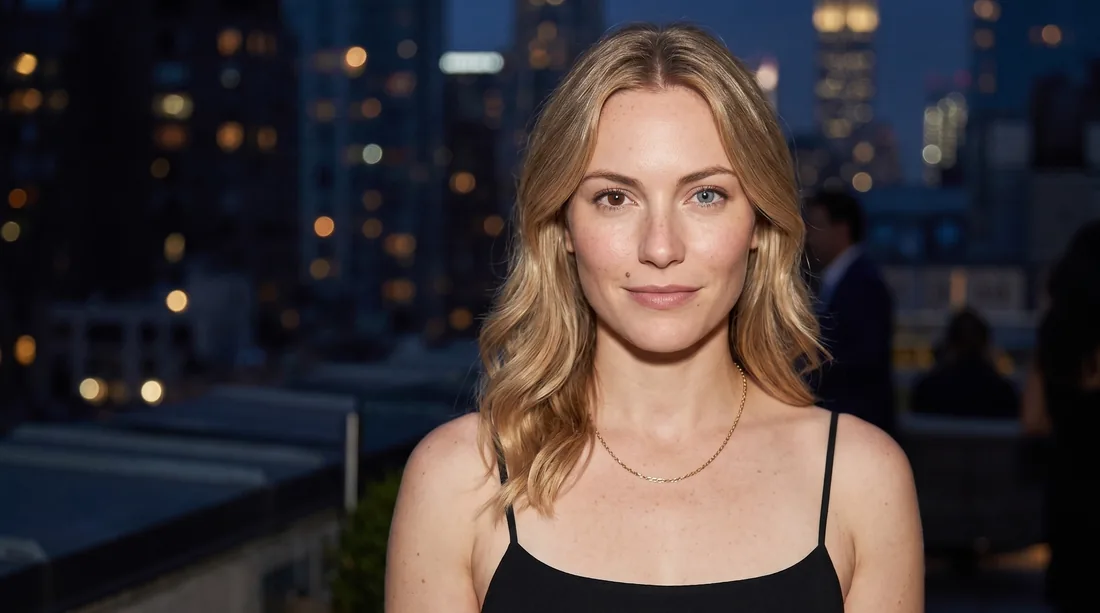
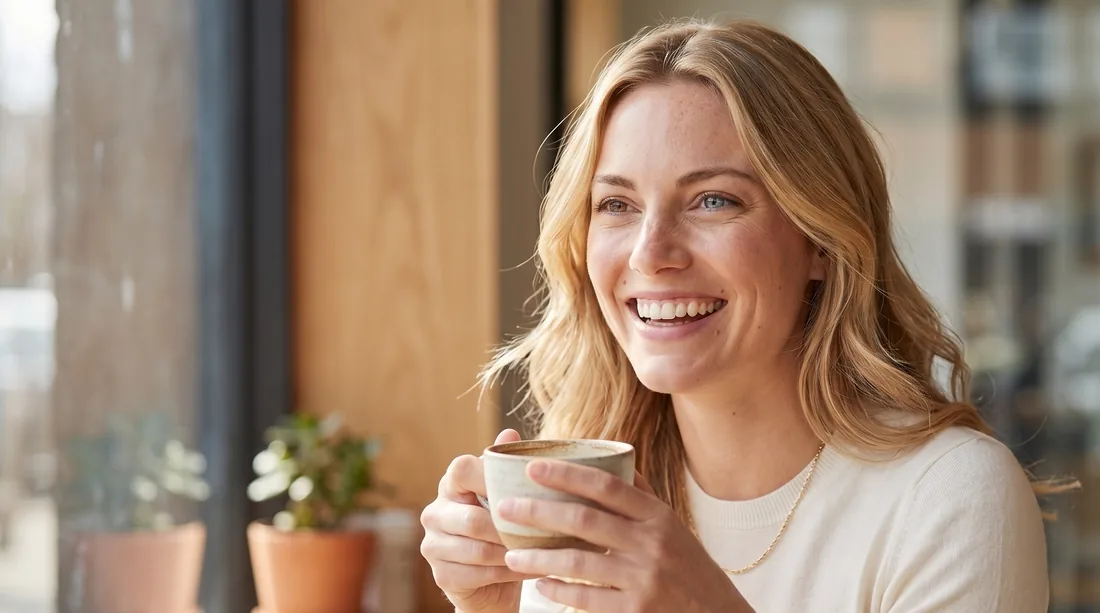

AI image models are brilliant at inventing people and hopeless at remembering them. Ask for “a young woman in a cafe” twice and you get two different humans. For anything that needs a recognisable face — a brand mascot, a recurring presenter, a faceless-founder persona — that randomness is the whole problem.
The fix is to stop describing a person every time and instead teach a model one specific person once. Five steps: define the character, generate a reference sheet, build a small image set, train a LoRA, then generate freely. Here's the shape of it before we dig in:
- Define — write a precise, photographic description of your character.
- Reference sheet — generate one multi-view composite to lock the look.
- Image set — reproduce that exact person across ~30 varied shots.
- Train — fine-tune a LoRA on those images with fal.ai.
- Generate — call your character natively, in any pose, place, or outfit.
Write your character into existence.
Consistency starts with specificity. A vague brief (“a friendly woman in her late twenties”) leaves the model free to improvise — and it will. The more precisely you pin down the face, the more stable everything downstream becomes.
Start from your ICP — your ideal customer or audience. Lucia is who my audience trusts and aspires to be. I pasted my ICP into Claude and asked it to write a detailed, photographic description. Here's the brief it produced for her — use it as the model for your own:
THE CHARACTER — identical in every panel:
- Age & build: 24, slim and lightly toned, ~170 cm, elegant posture.
- Face: defined cheekbones, full natural lips, a faintly asymmetrical smile that pulls a little higher on the right.
- Eyes: complete heterochromia — from the camera's view, the eye on the LEFT is warm brown and the eye on the RIGHT is ice blue. Pin the sides to the camera, or the model flips them.
- Hair: golden-blonde, shoulder-length, in soft loose waves, parted off-centre, a strand or two falling across the temple.
- Skin: fair, natural texture, a small beauty mark near the left corner of the mouth.
- Expression: confident and direct, a little playful — quick, intelligent eyes.
- Wardrobe: soft-ivory fine-knit top tucked into high-waisted taupe trousers, slim leather belt, white leather sneakers, one delicate gold necklace (no earrings).
- Vibe: polished-natural makeup (groomed brows, soft mascara, neutral lip); magnetic and aspirational, yet human.Tiny, unrepeatable details are what make a face read as a specific person rather than a type. Lucia's are her mismatched eyes (one brown, one blue), the beauty mark by her mouth, and a smile that lifts higher on one side — keep two or three such anchors and repeat them in every prompt.
Generate one multi-view composite.
Next, turn that brief into a single image that shows the same person from several angles at once — a character sheet. One composite gives later steps multiple anchors for the same identity, which holds the face far steadier than a single headshot would.
I used nano-banana (Gemini's image model) for this. Paste your filled-in brief where marked:
Create a professional character reference portfolio of one single consistent
young woman, presented as a clean character sheet grid on a seamless light-grey
studio background with soft, even diffused lighting. Photorealistic, shot on an
85mm lens, natural skin texture, no retouching, no beauty-filter smoothness.

THE CHARACTER — identical in every panel:
[paste your filled-in character brief here]

LAYOUT — one grid, the SAME person in every panel:
- Row 1: head-and-shoulders — front, 3/4, and profile views
- Row 2: full-body standing shot — front, 3/4, and profile
Keep identical face, hair, build, and wardrobe in every panel. Neutral pose,
relaxed expression, consistent lighting and colour across the whole sheet.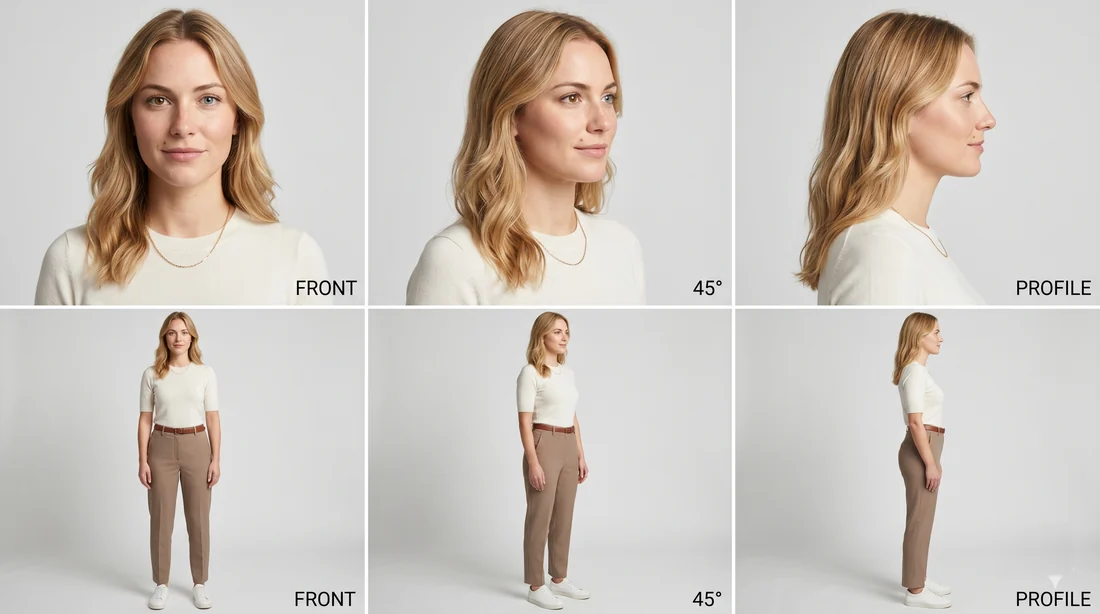
Generate a few of these and keep the one where the face is most convincing and consistent across all panels. This sheet is your ground truth — everything else is built to match it.
Build ~30 varied shots of the same person.
A model can't learn a face from one image. To train, you need a small dataset — I aimed for around 30 images — of the same person across different scenes, framings, expressions, and lighting. Variety is what lets the trained model generalise instead of memorising one photo.
Feed the reference sheet back in as the identity anchor and ask for a new scene each time. I had Claude write these prompts in batches so the identity language stayed identical and only the scene changed:
Using the attached reference sheet as the EXACT identity of the character,
generate a new photo of the SAME woman — identical face, hair, freckles,
build, and overall look.

CRITICAL — she has heterochromia (two different eye colours), and this must be
clearly visible. Describing the eyes from the CAMERA'S / viewer's perspective:
the eye on the LEFT side of the image is warm brown, and the eye on the RIGHT
side of the image is ice blue. Do not give her matching eyes and do not swap
these colours.

Scene:     [a sunny Lisbon cafe terrace, holding an espresso]
Framing:   [waist-up, candid, shot on 35mm]
Lighting:  [warm golden-hour daylight, soft shadows]

Photorealistic, natural skin texture, no beauty filter. Her identity must
match the reference exactly — only the scene, pose, and outfit change.Fine identity details — a specific eye colour, a mole, an asymmetric smile — are the first things a model quietly "averages away." If a detail matters, name it explicitly in every prompt; don't trust the reference image to carry it on its own.
And anchor anything with a left/right to the camera's perspective, not the subject's. Lucia's eyes are the perfect case: asking for her "left eye brown" is ambiguous — models flip a subject's left and right constantly. Pinning it to the frame — "the eye on the left side of the image is brown, the one on the right is blue" — removed the guesswork, and the heterochromia landed every single time.
Here's that exact prompt in action. We handed the image model Lucia's reference sheet along with the prompt above and asked for a few takes — these three came back in seconds. Same woman, same mismatched eyes, in a sunny Lisbon café she's never actually visited. We just kept the ones we liked best.
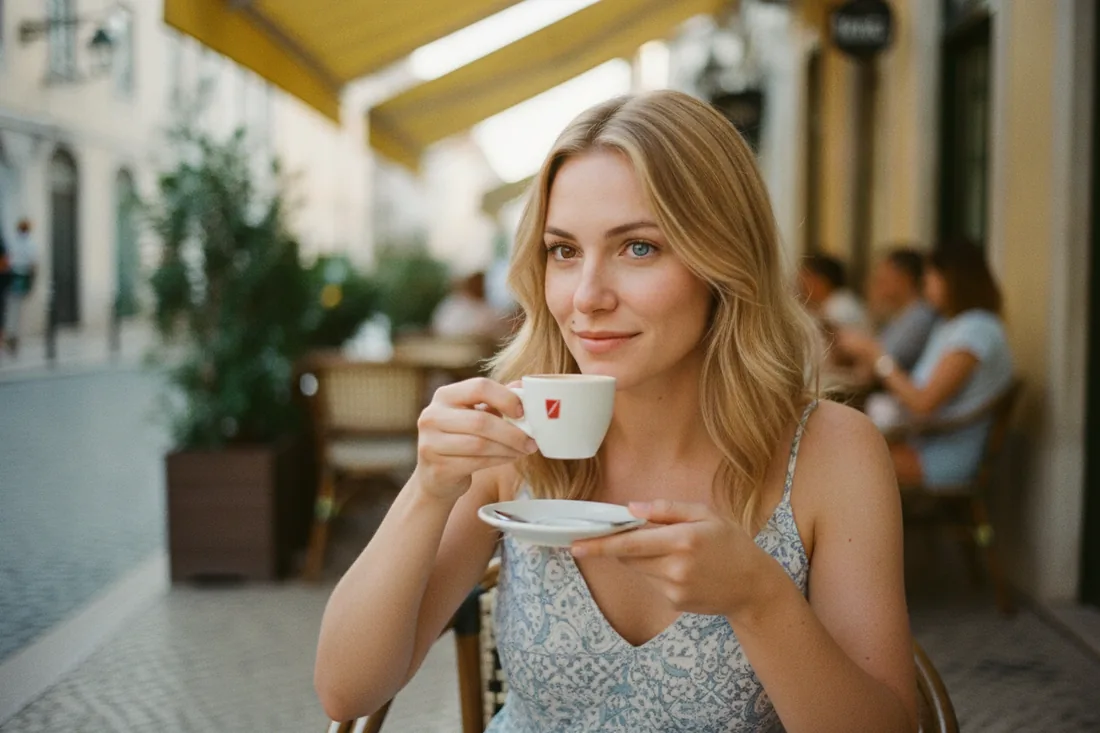
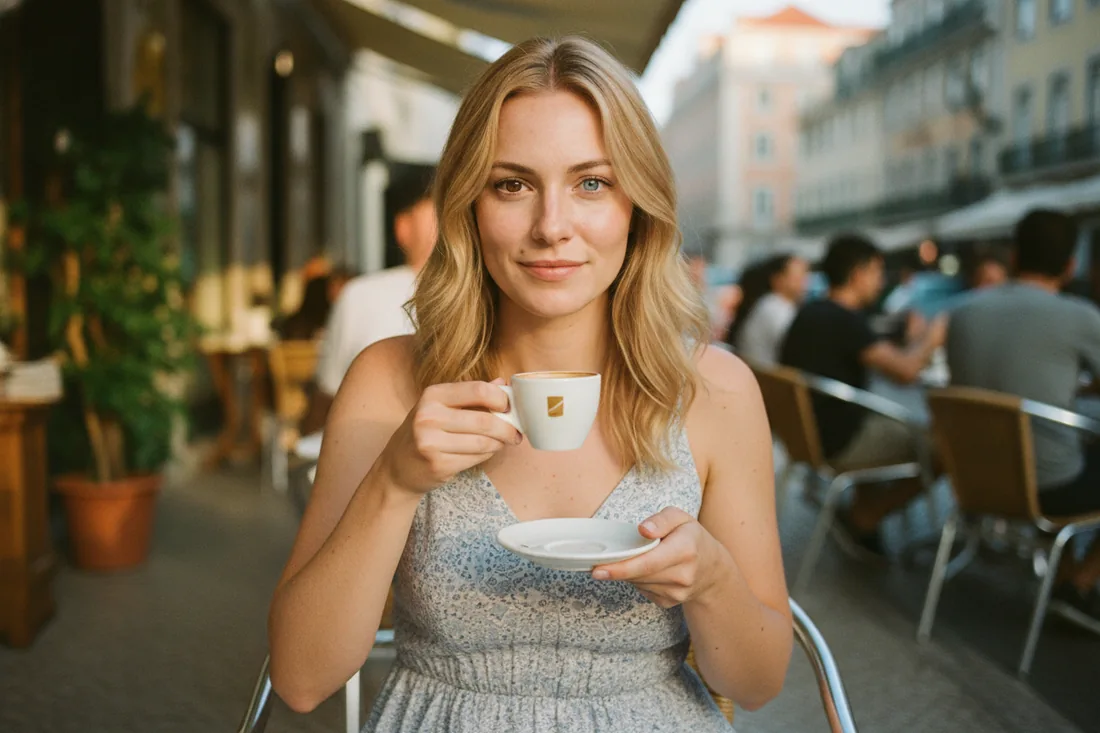
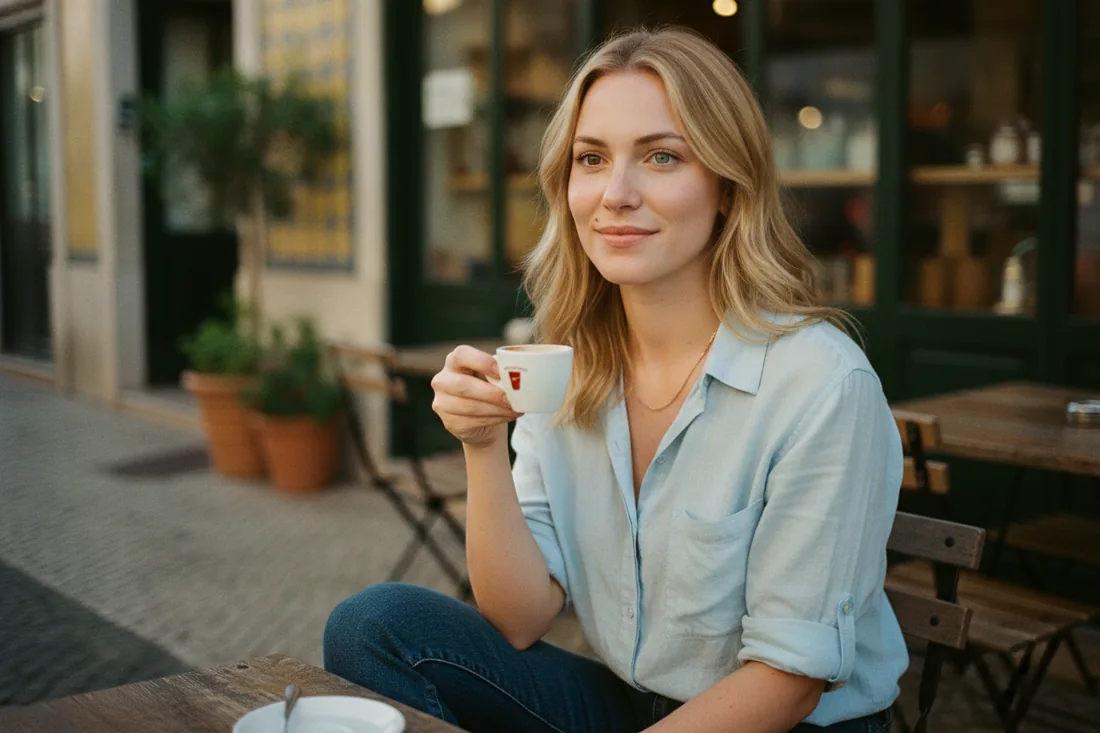
Vary it widely: indoors and outdoors, close-up and full-body, different outfits, day and night, candid and posed. Cull anything where the face drifts — a clean dataset of 25 great images beats 40 inconsistent ones.

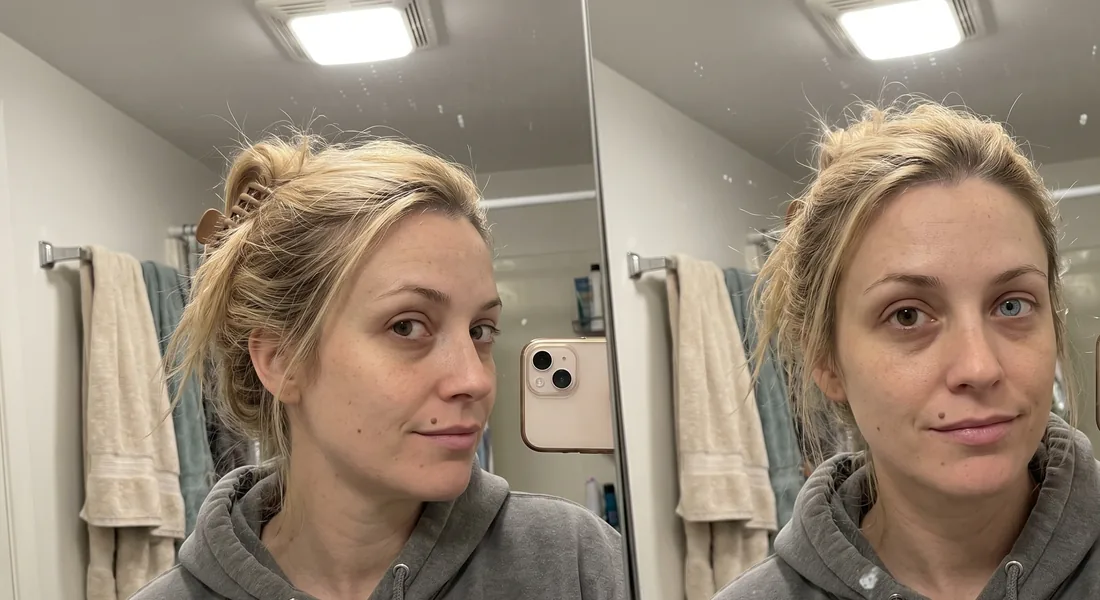
When you're happy with the set, drop every image into one folder and zip it. You'll hand that zip to the trainer in the next step.
Train a LoRA on fal.ai.
A LoRA is a small add-on that fine-tunes a big image model to know one new thing — in our case, Lucia. Once trained, the model can render her natively from a text prompt alone, no reference image attached. fal.ai runs the training for you in the cloud and hands back a weights file.
Set up fal.ai
Create an account at fal.ai, open the dashboard, and generate an API key (Dashboard → Keys). Copy it somewhere safe — we'll pass it to each script. Training a Flux LoRA costs a few dollars of credits.
Set up Python
The scripts below talk to fal's API. You need Python 3 installed
(python3 --version should print a version). Then install fal's client once:
python3 -m pip install fal-clientRun the training
Save the script below as train.py in the same folder as your zipped dataset. It
uploads the zip, starts the LoRA training, waits for it to finish, and prints the URL of your
trained weights.
# train.py — train a character LoRA on fal.ai
import fal_client

# 1) Upload your zipped image set (~20–40 images)
images_url = fal_client.upload_file("lucia_dataset.zip")

# 2) Start training and wait for it to finish
result = fal_client.subscribe(
    "fal-ai/flux-lora-fast-training",
    arguments={
        "images_data_url": images_url,
        "trigger_word": "LUCIA",   # the word that summons your character
        "steps": 1000,
    },
    with_logs=True,
)

# 3) Save this URL — you reuse it for every generation
print("LoRA weights:", result["diffusers_lora_file"]["url"])
Run it from your terminal, passing your key inline so it's never written into the file:
FAL_KEY="your-fal-api-key" python3 train.py
After a few minutes it prints a .safetensors URL. That file is Lucia.
Copy it down — it's the input to every image you'll make from here on.
Put Lucia anywhere.
With the trained LoRA, you no longer attach a reference image — you just name your character
in the prompt and describe the scene. Save this as generate.py and paste in your
weights URL:
# generate.py — make new images of your trained character
import fal_client

LORA_URL = "https://…/your-trained-lora.safetensors"   # from train.py

result = fal_client.subscribe(
    "fal-ai/flux-lora",
    arguments={
        "prompt": "LUCIA, walking through a Lisbon street market, "
                  "warm morning light, candid, 35mm",
        "loras": [{"path": LORA_URL, "scale": 1.0}],
        "image_size": "portrait_4_3",
        "num_images": 4,
    },
)

for img in result["images"]:
print(img["url"])FAL_KEY="your-fal-api-key" python3 generate.py
Always include your trigger word (LUCIA) in the prompt — that's
what activates the character. From here you can hand the model new references — a pose, a
location, an outfit — and it renders Lucia into them accurately, because it already knows
her face by heart.
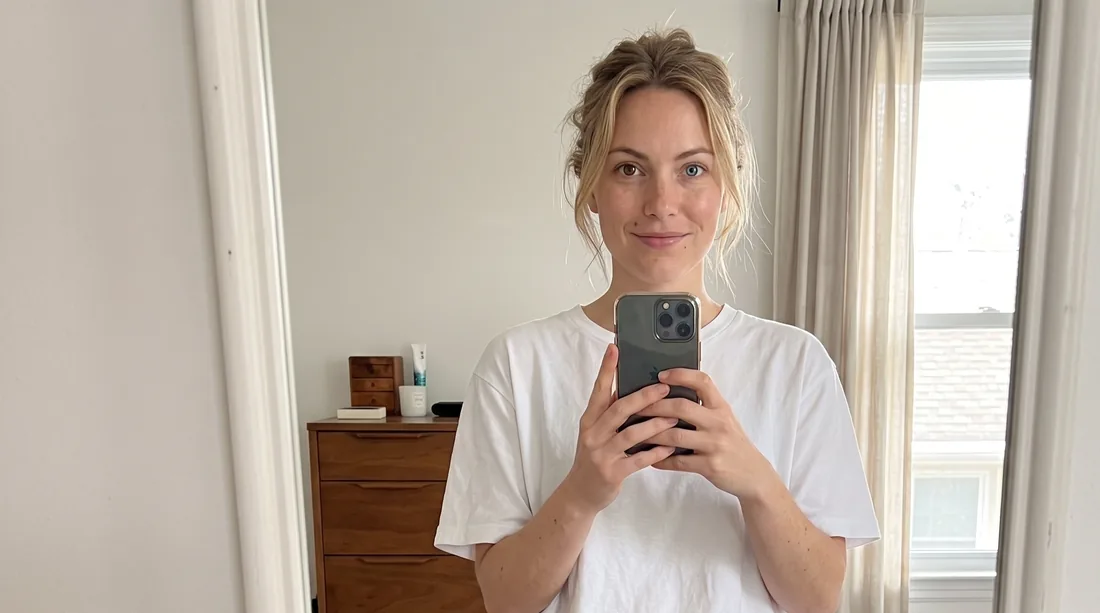
That's the whole loop: one description, one reference sheet, a small image set, a quick train, and then unlimited on-brand images of a person who doesn't exist but is perfectly, reliably herself every single time.
Store your API key safely.
Passing FAL_KEY=… inline is fine while you're learning, but it leaves your key in
your shell history, and it's easy to paste into a screen-share by accident. The clean habit
is to keep the key in a .env file that lives only on your machine.
Create a file called .env next to your scripts:
FAL_KEY=your-fal-api-keyInstall the loader, then read the file at the top of your script:
python3 -m pip install python-dotenvfrom dotenv import load_dotenv
load_dotenv() # reads .env and sets FAL_KEY for fal_client
import fal_client
# … rest of your script unchanged; now just run: python3 train.py
Add .env to your .gitignore so it's never committed. Never paste a
key into a prompt, a chat, or a screenshot. If a key is ever exposed, rotate it immediately
from the fal.ai dashboard — a leaked key can run up real charges.
.envWant this built into your business?
I build private AI systems for companies — connected to your tools, owned by you.
Book a consultation call